Zalith Launcher APKZalith Launcher APK

Which Zalith Launcher APK build will my chip actually run?

"Different Android devices use different CPUs, which in turn support different instruction sets."

Android Developers, ABI guide
PlaysMinecraft Java Edition, with Fabric, Forge, Quilt or NeoForge mods
ReadsYour Android version, CPU and GPU
GivesThe build for that chip, renderer and Java runtimes included

Zalith Launcher 2 for your phone, ready with its first settings.

The same phone twice: a guessed APK on a blank screen, then the matched build with its renderer and Java runtimeGuessed APKYour chipRendererJava runtimeMatched build

Four parts: the five checkswhy builds crashbefore you installthe short version

From a list of APK files to Java Edition with mods

  1. Release pages list several APK files, and the names barely differ.

  2. The check reads your Android version, CPU and GPU first.

  3. One build fits that chip, with its renderer and Java runtimes.

  4. Java Edition opens, ready for Fabric, Forge, Quilt or NeoForge mods.

Four things to know first

What the check matches

1/5

Android version

Read first, so the build you pick installs on your system.

Why a wrong build crashes

An APK made for another chip can install fine, then crash once the game starts.

Before you install it

Skip it if

You play Bedrock Edition, or you use an iPhone: this APK runs Java Edition on Android.

What it does

Runs Minecraft Java Edition on an Android phone or tablet, vanilla or with Fabric, Forge, Quilt or NeoForge mods.

Good to know

Touch controls are layouts you can edit from the launcher's own menu. Large modpacks demand more of a phone than the plain game, so start with a small one.

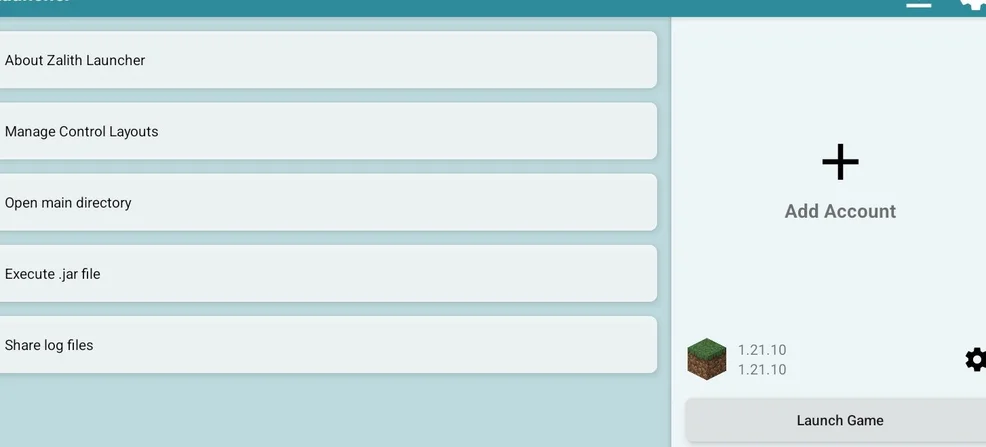
Zalith Launcher home screen with Manage Control Layouts and Launch Game

Chip first, modpack second.

Check my Android chip
Your build, matched to your chipCheck my Android chip